No.1BEST OVERALL
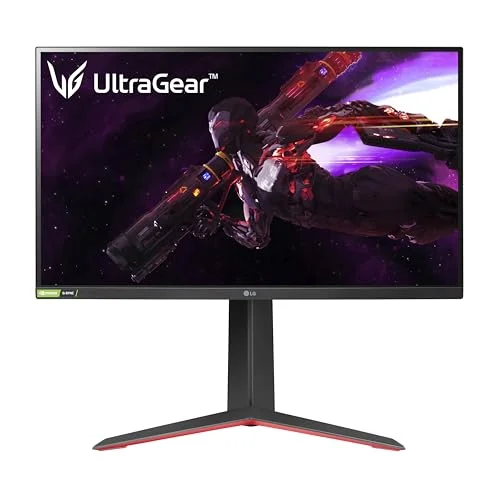
LG UltraGear 27GP850 27" QHD 165Hz Nano IPS
★★★★½ 4.5
Image quality
Response
Value
Resolution2560 x 1440 (QHD)
Refresh rate165 Hz (180 Hz OC)
Panel / sizeNano IPS, 27"
A great gaming monitor is the cheapest big upgrade you can make to how your games feel. We put six of the best on the bench, judged them on image quality, response and value, and tell you plainly which panel suits which build, and where the limits are.
 FIG. 01 — TEST BENCH
The short version: our best overall pick is the LG UltraGear 27GP850, a 27-inch QHD Nano IPS panel at 165Hz that hits the resolution, size and refresh rate most PC gamers should buy. On a budget, the AOC 24G2U is the value champion, while the ASUS ROG Swift OLED is the best image money can buy. For 4K and console gaming the Gigabyte M28U is the one to get. More important than any single model, though, is matching the resolution and refresh rate to the graphics card you actually own.
| # | Model | Resolution | Refresh rate | Panel / size | Score | Price | |
|---|---|---|---|---|---|---|---|
| 1 | LG UltraGear 27GP850 27" QHD 165Hz Nano IPS BEST OVERALL | 2560 x 1440 (QHD) | 165 Hz (180 Hz OC) | Nano IPS, 27" | 4.5 | £299.00 | View |
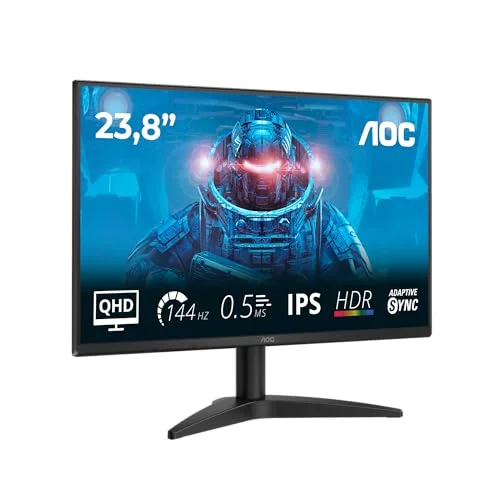
| 2 | AOC 24G2U 24" Full HD 144Hz IPS Gaming Monitor BEST BUDGET | 1920 x 1080 (Full HD) | 144 Hz | IPS, 24" | 4.4 | £129.99 | View |
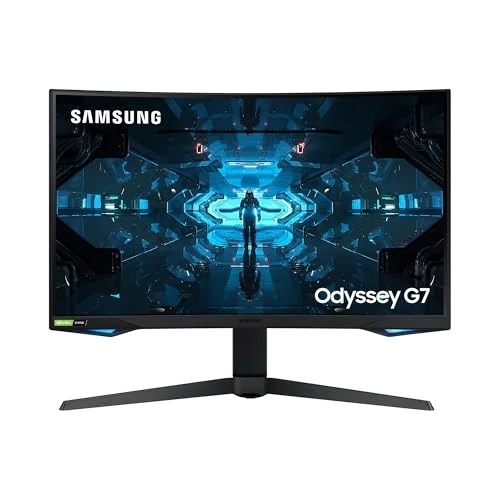
| 3 | Samsung Odyssey G7 32" QHD 240Hz Curved (LC32G75T) BEST HIGH REFRESH | 2560 x 1440 (QHD) | 240 Hz | VA (1000R curve), 32" | 4.3 | £340.67 | View |
| 4 | ASUS ROG Swift PG27AQDM 27" QHD 240Hz OLED PREMIUM PICK | 2560 x 1440 (QHD) | 240 Hz | OLED (WOLED), 27" | 4.5 | £741.21 | View |
| 5 | Gigabyte M28U 28" 4K 144Hz IPS Gaming Monitor BEST 4K | 3840 x 2160 (4K UHD) | 144 Hz | IPS, 28" | 4.3 | £279.00 | View |
| 6 | MSI MAG 27CQ6F 27" QHD 180Hz Curved Gaming Monitor BEST VALUE QHD | 2560 x 1440 (QHD) | 180 Hz | Rapid VA (1500R curve), 27" | 4.2 | £149.00 | View |
A gaming monitor does one job that an ordinary office screen cannot: it shows fast motion cleanly and refreshes the image far more often, so games look fluid rather than juddery. Step from a tired 60Hz office monitor to a 144Hz gaming panel and the difference is immediate and obvious, the way moving the mouse feels, the way a fast pan stays sharp, the way you can actually track a target across the screen. It is the single upgrade that most reliably makes a PC feel faster, often more so than the graphics card behind it.
That said, there is no one perfect monitor, only the right monitor for your build and your games. A competitive shooter player on a modest GPU is best served by a 24-inch 1080p panel at a high refresh rate, because steady, sky-high frame rates matter more than pixel count. A player who loves big, beautiful single-player worlds wants the sharpness of QHD or 4K and the contrast of VA or OLED. And anyone driving a PS5 or Xbox Series X needs to think about HDMI 2.1 rather than DisplayPort. The honest truth is that the best monitor is the one whose strengths line up with how you actually play.
Here is the rule that saves the most money and the most disappointment: a monitor can only ever show as many frames as your graphics card produces. A 240Hz screen is wasted if your GPU manages 90fps in the games you play; you have paid for headroom you will never use. So before you fall for a spec, work out roughly what frame rate your card hits in your games, then choose a refresh rate to match.
Crucially, more refresh rate is not automatically better. The jump from 60Hz to 144Hz is transformative; the jump from 144Hz to 240Hz is real but far smaller, and only serious competitive players in fast esports titles tend to feel it. Spend the saved money on resolution or panel quality instead, unless competitive shooters are your whole reason for buying. Our resolution and refresh rate guide walks through the maths for your specific hardware so you do not overspend.
For most people, a 27-inch screen at QHD (2560 x 1440) is the sweet spot, and it is no accident that half our picks land there. It is noticeably sharper than 1080p, so games look crisper and detail is easier to make out, yet it is far easier to drive at high frame rates than 4K, which keeps a mid-range graphics card happy. 24-inch 1080p remains the right call for competitive play, where a smaller screen is easier to take in at a glance and frame rates run highest. 4K, meanwhile, is glorious but demanding: it looks stunning in slower, detailed games and on consoles, but it asks for an expensive graphics card to run well at a high refresh rate. Pick the resolution your GPU can comfortably feed, then choose the size to match how far you sit from the screen.
The panel technology shapes the character of the image more than any single number. IPS is the all-rounder, fast response, accurate colour and wide viewing angles, which is why most of our recommendations use it. VA trades a little fast-motion clarity for much deeper contrast and blacks, so it shines in dark, atmospheric single-player games. OLED is the best of all, with perfect per-pixel blacks, dazzling HDR and a response time so low there is simply no motion blur, but it costs more and carries a small long-term burn-in risk. If you are unsure, an IPS panel is the safe default; if you crave contrast or the very best image, read our IPS vs VA vs OLED guide before you decide.
Two features earn their keep on almost any build. Adaptive sync (G-Sync for Nvidia, FreeSync for AMD, and usually cross-compatible) syncs the monitor's refresh to your frame rate, banishing the ugly screen tearing you get when the two drift apart. It makes a visible difference and most good gaming monitors include it, so there is rarely any need to pay a premium for a dedicated G-Sync module. HDMI 2.1 matters if you game on a PS5 or Xbox Series X, because it is what unlocks 4K at 120Hz, which is exactly why the Gigabyte M28U is our pick for consoles. HDR is more of a mixed bag: on most affordable monitors it is a pleasant bonus rather than a headline feature, because only premium displays and OLED panels have the brightness and local dimming to do it justice. Do not pay a big premium for an HDR badge alone.
We deliberately picked monitors that cover the full range of real gaming needs rather than six near-identical 27-inch QHD boxes. There is a budget 1080p champion, the QHD all-rounder most people should buy, a value QHD option, a high-refresh esports panel, an OLED flagship and a 4K do-it-all screen for PC and console. Every model here is from a brand that is genuinely available and supported in the UK, and each one earns its spot for a specific buyer, with no padding. Work out your GPU and your games first, and you will find your monitor on this list. Our full buying guide covers the rest: response time, stands, inputs and the spec-sheet traps to watch for.
For most PC gamers the LG UltraGear 27GP850 is the soundest choice: 27-inch QHD at 165Hz on a fast, colour-accurate Nano IPS panel that any decent mid-range graphics card can drive well. If you are building on a budget, the AOC 24G2U gives you a proper 144Hz IPS panel for remarkably little, and the MSI MAG 27CQ6F is the cheapest sensible way into QHD. Want the very best image and have the GPU to drive it? The ASUS ROG Swift OLED is in a class of its own. For a PS5 or a high-end 4K PC, the Gigabyte M28U is the do-it-all pick. Whichever you choose, the most important step never changes: match the monitor to your graphics card and your games, then get the resolution and refresh rate right. To see exactly how we score them, read our how we test page.
Our best overall pick is the LG UltraGear 27GP850, a 27-inch QHD (1440p) Nano IPS panel at 165Hz with a fast 1 ms response. It hits the resolution, size and refresh rate that suit the most people. For a budget build the AOC 24G2U (24-inch 1080p, 144Hz IPS) is superb value, and for the very best image the ASUS ROG Swift PG27AQDM OLED is our premium pick.
For most PC gamers, 27-inch QHD (2560 x 1440) at 144Hz or higher is the sweet spot: sharp enough to look great, but easy enough to drive at high frame rates on a mid-range to high-end GPU. Competitive shooter players often prefer 24-inch 1080p at 144Hz or more for the highest, steadiest frame rates, while 4K at 144Hz is best left to powerful, expensive graphics cards.
IPS gives the best all-round balance of colour, viewing angles and fast response, which is why most of our picks use it. VA panels offer deeper contrast and blacks, ideal for immersive single-player games, but can smear slightly in fast motion. OLED is the best image of all, with perfect blacks and near-instant response, but it costs more and carries a small burn-in risk.
A monitor only shows as many frames as your graphics card can produce. There is no point buying a 240Hz screen if your GPU manages 90fps in your games. Match the refresh rate to your hardware: 144Hz suits most mid-range cards, 165 to 180Hz a strong card, and 240Hz a high-end card aimed at competitive esports. Adaptive sync (G-Sync or FreeSync) keeps everything tear-free in between.
A curve is a matter of taste rather than performance. Gentle curves on large 32-inch and ultrawide screens can feel more immersive and reduce edge distortion, which suits single-player games. Aggressive curves divide opinion and are poor for any creative or office work. For a standard 24 or 27-inch competitive monitor, a flat panel is usually the safer choice.